
Partners can request the ability to create Support cases on behalf of a customer by submitting a customer relationship request through the Support portal.
Follow the steps below to complete this process.
Log in to the Support portal
Use your portal partner details to log in: https://portal.anaplan.com
If you're unable to log in or encounter issues with the portal, please report the problem by submitting this form: https://portal.anaplan.com/csm?id=portal_access_issue_form
Navigate to your account information
Once logged in as a portal administrator, you will land on your main portal page.
Select the Account tab in the upper-left section of the page.
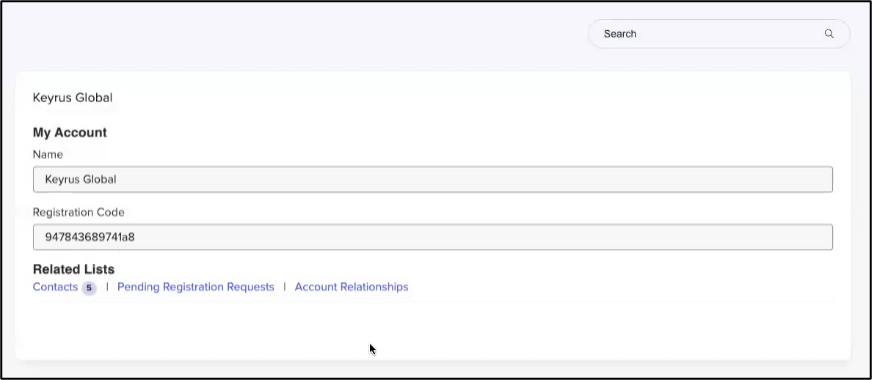
This will open your My Account information.
Create a customer relationship request
In the My Account section, select Account Relationships. This page will display your existing partnerships (if any).
To create a new relationship, select New. You will then be taken to the Account Relationship – New Record form.

In the Account To dropdown, choose the customer account you want to request access for.
Then, select the Partner you wish to grant permission to create Support cases on the customer's behalf.
Select Submit.
After you submit the form, the customer will receive a notification requesting approval for the relationship.
Once the customer approves the request, you will gain the ability to create Support cases on that customer's behalf.

